
100% on-device Vision OCR
Extracts vendor, date, total and sales tax/GST/HST/VAT in seconds without an internet connection.
App Store Edition · AI Receipt Scanner & OCR · US · CA · AU · NZ · UK
Thermal paper dockets and receipts fade on the ute dashboard in weeks. Snap a photo in Keel while the docket is still in your hand: on-device Vision OCR extracts the merchant, date, GST/tax and total automatically, attaches the image proof, and files the expense under its job and tax category—replacing paper docket books, cloud scan quotas in Hubdoc or Dext, and basic ATO myDeductions lists. Free to download on the App Store.

Free to download · No bank connection · App Store Custom Product Page matched

Self-employment tax calculator, 2026
How much to set aside from every payment. Runs in your browser: nothing you type is uploaded.
Recommended set-aside
0% of every payment
| Self-employment tax (Schedule SE) | $0 |
| Federal income tax on profit | $0 |
| Additional Medicare tax | $0 |
| State income tax | $0 |
| Total estimated tax (2026) | $0 |
| Each quarterly payment (1040-ES) | $0 |
Quarterly due dates: April 15, 2026, June 15, 2026, September 15, 2026, January 15, 2027.
At this income the qualified business income deduction can be limited, so this estimate leaves it out. That makes it a little high, which is the safe side for money you set aside.
Sync your 2026 dollar breakdown & export PDF worksheet
Sign in with your Apple ID in 1 tap to save your Schedule SE, federal, and quarterly figures in the Keel iCloud Workspace or print your PDF record.
Sign in with your Apple ID (iCloud) to unlock the full breakdown and export PDF.
Federal estimate for 2026 using the standard deduction and the qualified business income deduction; it leaves out credits, itemized deductions and retirement contributions. A planning figure, not tax advice.
Self-Employment Tax & Quarterly Set-Aside Worksheet (2026)
Recommended set-aside rate: 0% of every client payment
| Self-employment tax (Schedule SE — 15.3% on 92.35% net earnings) | $0 |
| Federal income tax estimate (after standard & QBI deductions) | $0 |
| State income tax estimate | $0 |
| Estimated total annual tax (2026) | $0 |
| Each quarterly estimated payment (Form 1040-ES: April 15, 2026, June 15, 2026, September 15, 2026, January 15, 2027) | $0 |
✓ 2026 Statutory Tax Set-Aside Worksheet · Schedule C, T2125, SA103 & BAS Planning Record
Prepared with Keel Bookkeeping & Tax Ledger (iluratechnology.com/keel) · Tap or scan QR on iPhone to log deductible receipts and mileage offline with zero monthly subscription.
Official App Store Custom Product Page · AI Receipt Scanner and OCR
100% on-device AI receipt scanner + supplier price memory: snap any receipt, flip between Billable Invoice + Supply or Tax Shield in 1 tap, and seal with BLAKE3.
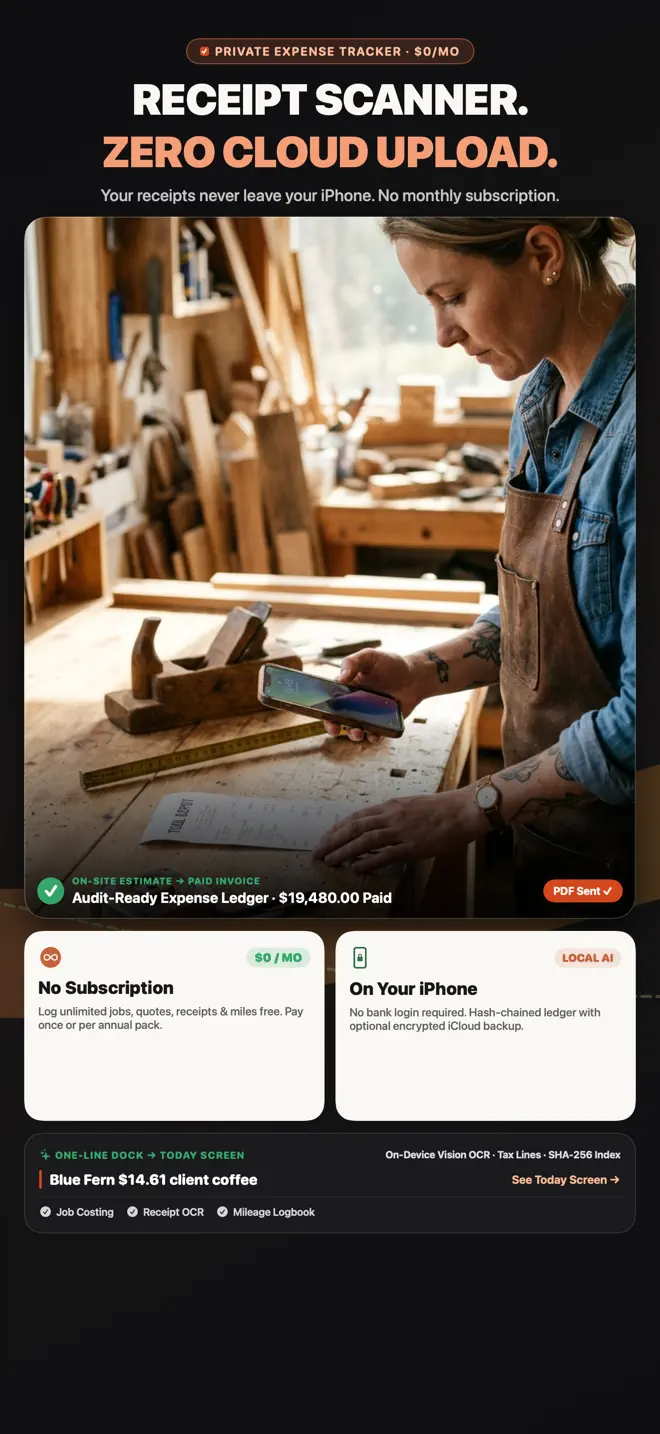
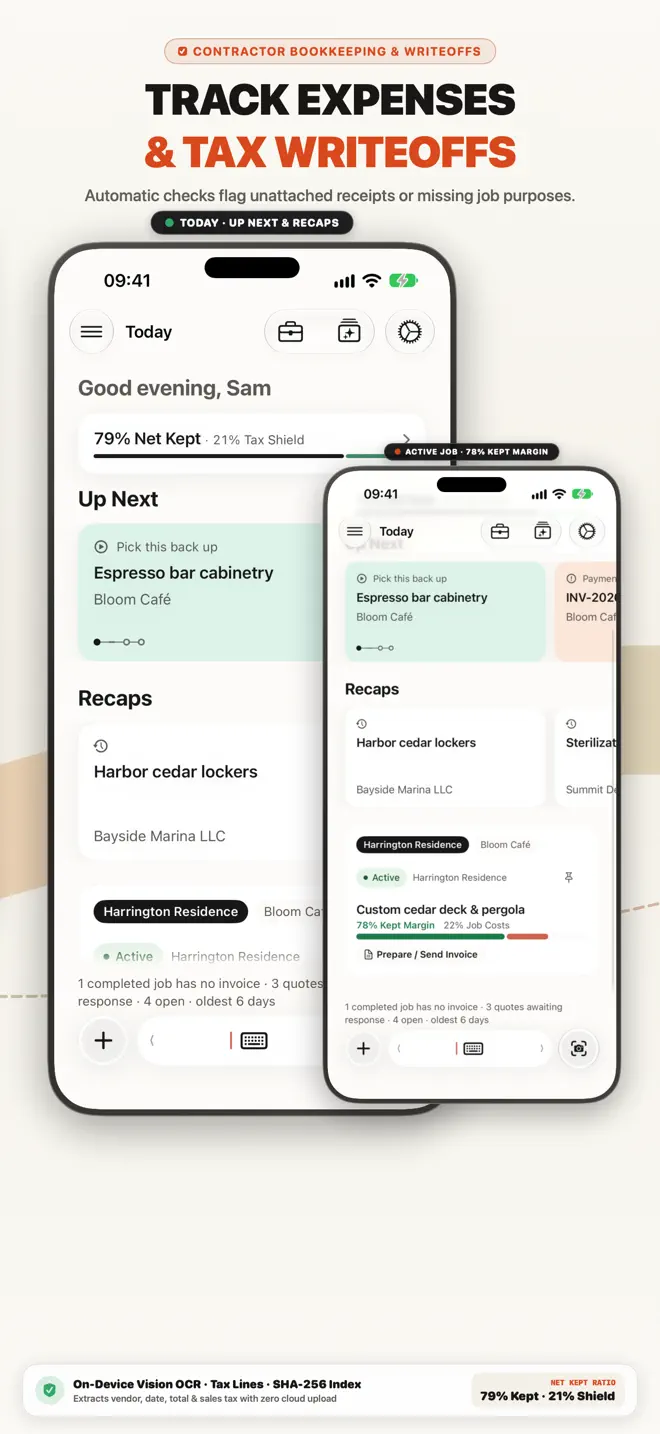
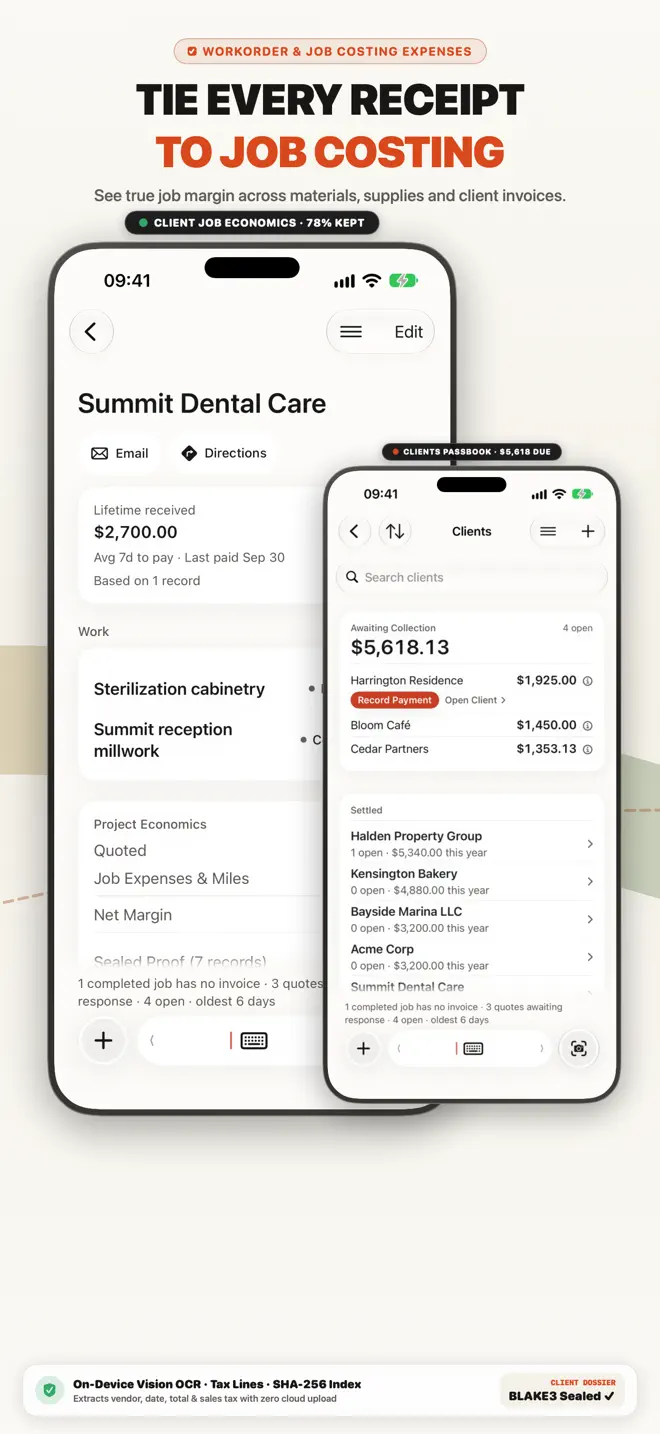
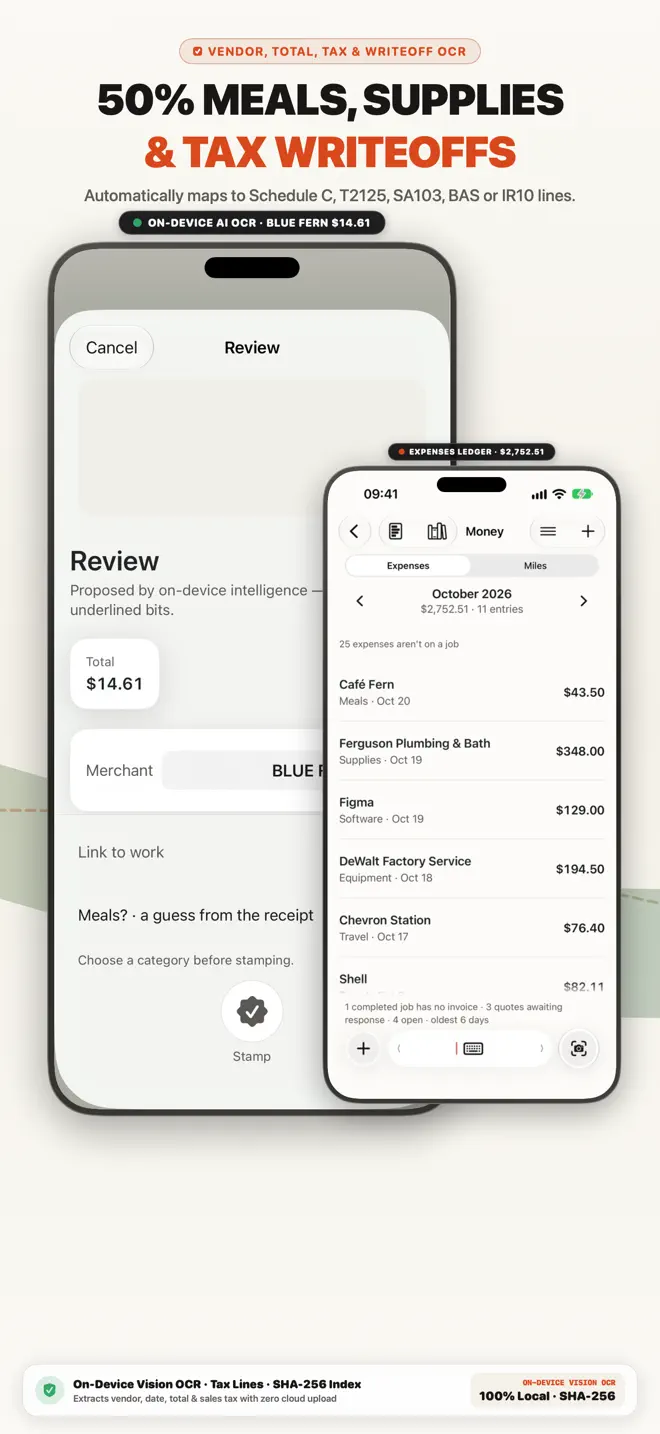
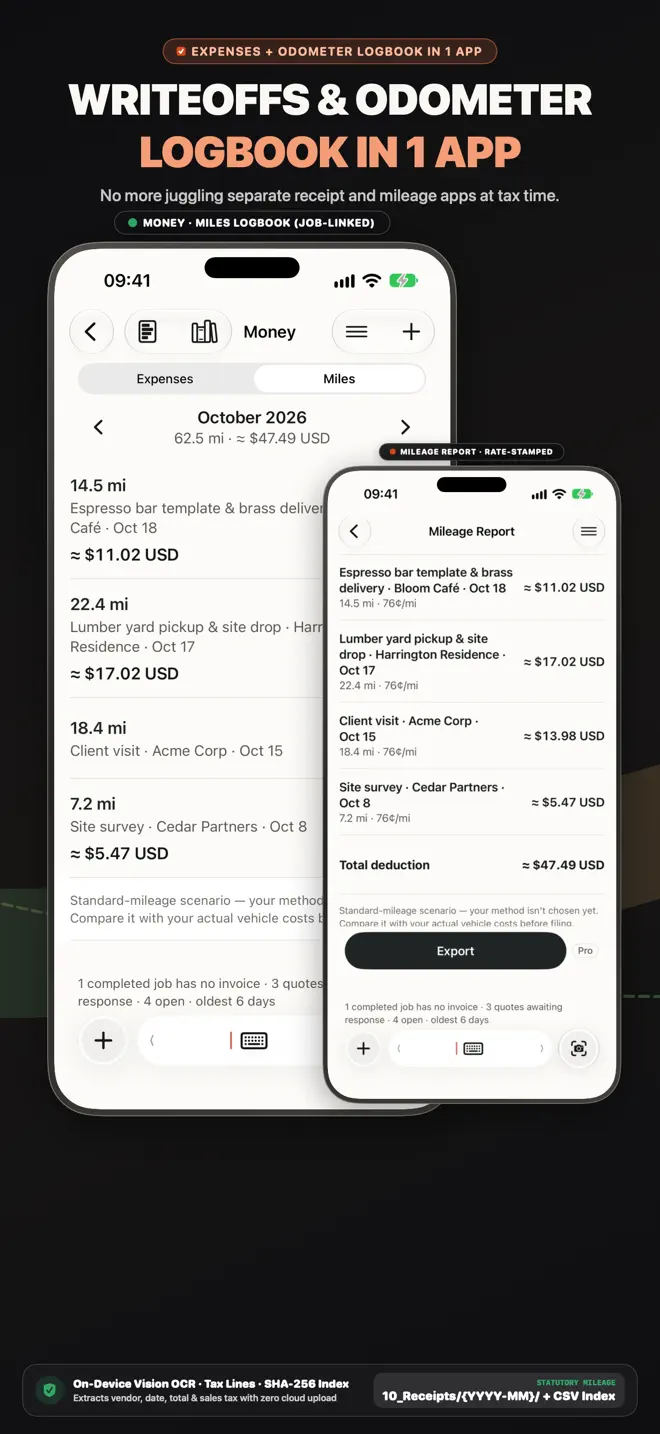
On-Device AI Receipt Scanner & Expense Tracker
Most receipt apps upload every receipt image to remote servers or human review queues and charge monthly per-scan quotas. Keel runs OCR right on your iPhone.
Extracts vendor, date, total and sales tax/GST/HST/VAT in seconds without an internet connection.
Tag each receipt to a customer job and expense category so deductions are never orphaned.
Every receipt image stays paired with its expense record for clean accountant handoff.
Built for solo operators, first-time business owners and 1–5 person crews.
Free to download on the App Store.
Receipts
Photograph a receipt while it is still in your hand and file it against the customer or the job.
Expenses
Every expense recorded with its category and its receipt, under the job it belongs to — so you can see what each job cost.
Jobs
Every expense and invoice is a step of a job, and all of it is kept with that job — so you can see what a job cost and what you billed.
Invoices
Clean PDF invoices with taxes, discounts and payment terms, sent by email, Messages or WhatsApp. Add a payment QR code; line items you have used before are suggested, priced from your own history.
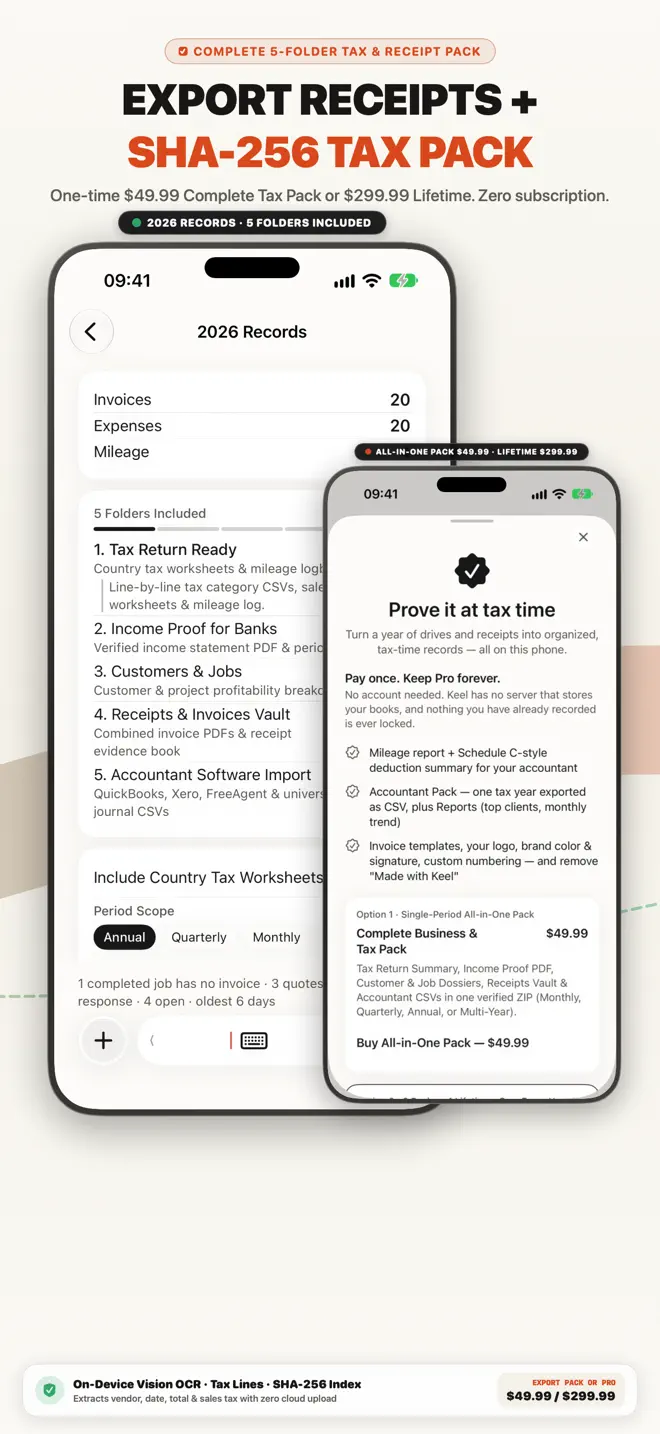
5-Folder Pack5-Folder Pack
At filing time, Keel compiles your 5-Folder Statutory Pack — supporting worksheets, mileage logs, income proof, job profitability, and accountant CSVs — built from the books you already keep.
Customers
A small CRM built in: each customer’s jobs, invoices and payment history in one place.
Try our browser tools with no login required, or compare how Keel stacks up.
19 guides in this edition
Every guide below answers a question this edition is built for, and opens this same App Store page.
Free to download on the App Store. Free to download · No bank connection.
Search every guide in the Business Library — invoicing, expenses, mileage, tax and the rules where you work.